Getting students into their classroom economy should be quick. Once they are there, everyday tasks; like signing in or buying something from the classroom shop should feel just as simple.
This update smooths out both sides of that experience. Teachers can now share the Student Portal with a QR code and print individual student ID cards, while students have a clearer path from adding an item to completing checkout.
Open the Student Portal with a QR code
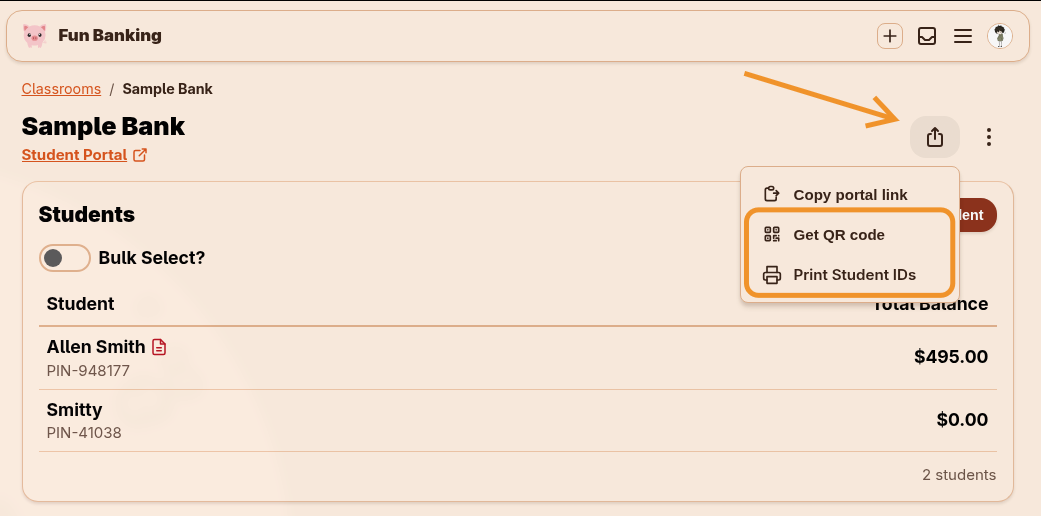
Every classroom now has a Student Portal QR code. Open the Share Student Portal menu on your classroom page and select Get QR code to display it.
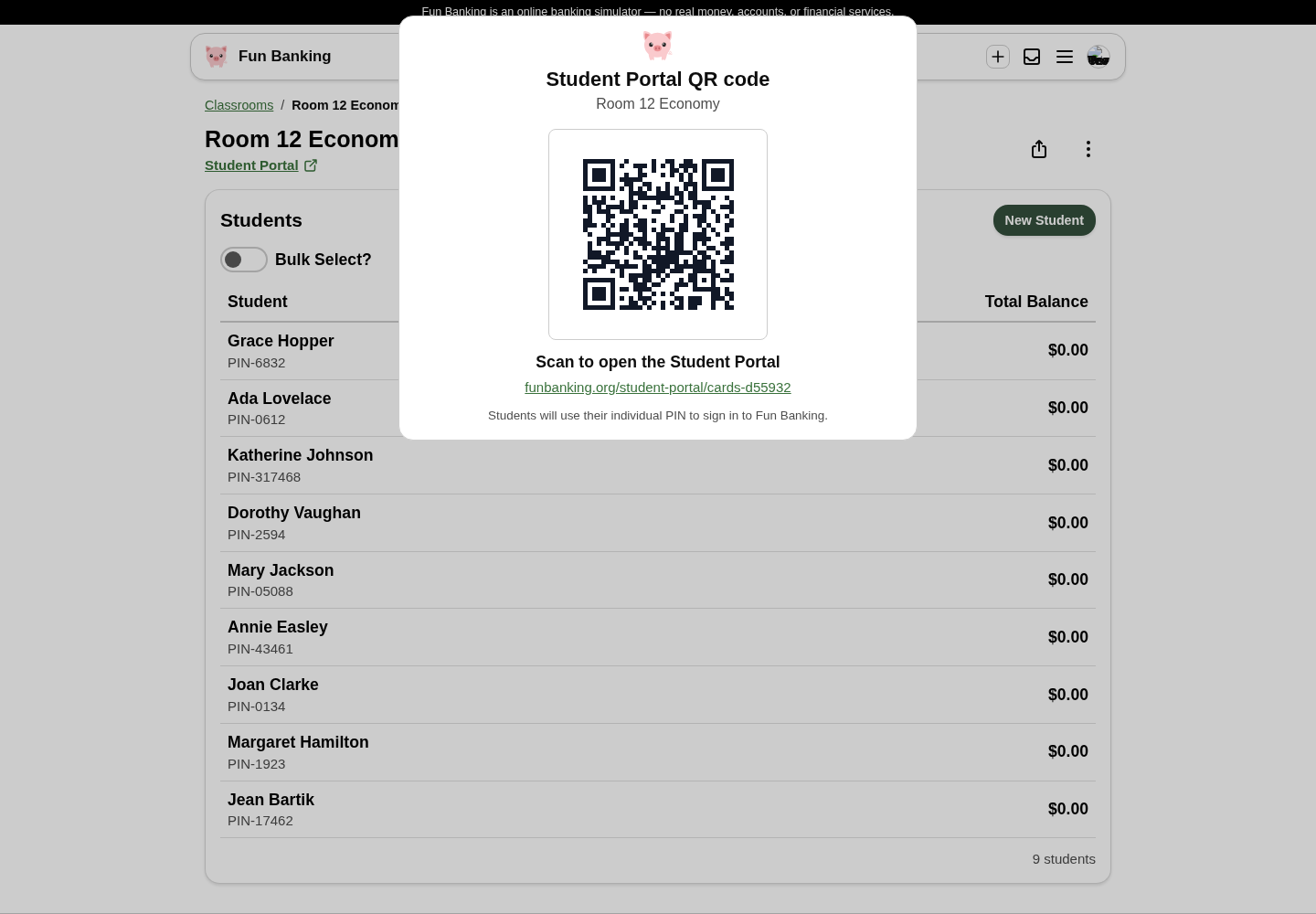
Students can scan the code with a phone, tablet, or Chromebook camera and go directly to the correct classroom portal. The portal address beneath the code is also a clickable link, which is useful when you are presenting your screen or sharing the page digitally.
The existing Copy portal link option is still available, so you can choose whichever sharing method works best for your classroom: paste the link into your learning platform, project the QR code at the front of the room, or use the new student ID cards.
Print student ID cards for the whole class
The same sharing menu now includes Print student IDs. Fun Banking creates a card for every student in the classroom, arranged eight to a standard letter-size page and ready to print or save as a PDF.
Each card includes the student’s:
- Name
- Individual sign-in PIN
- Classroom Student Portal address
- QR code that opens the correct portal
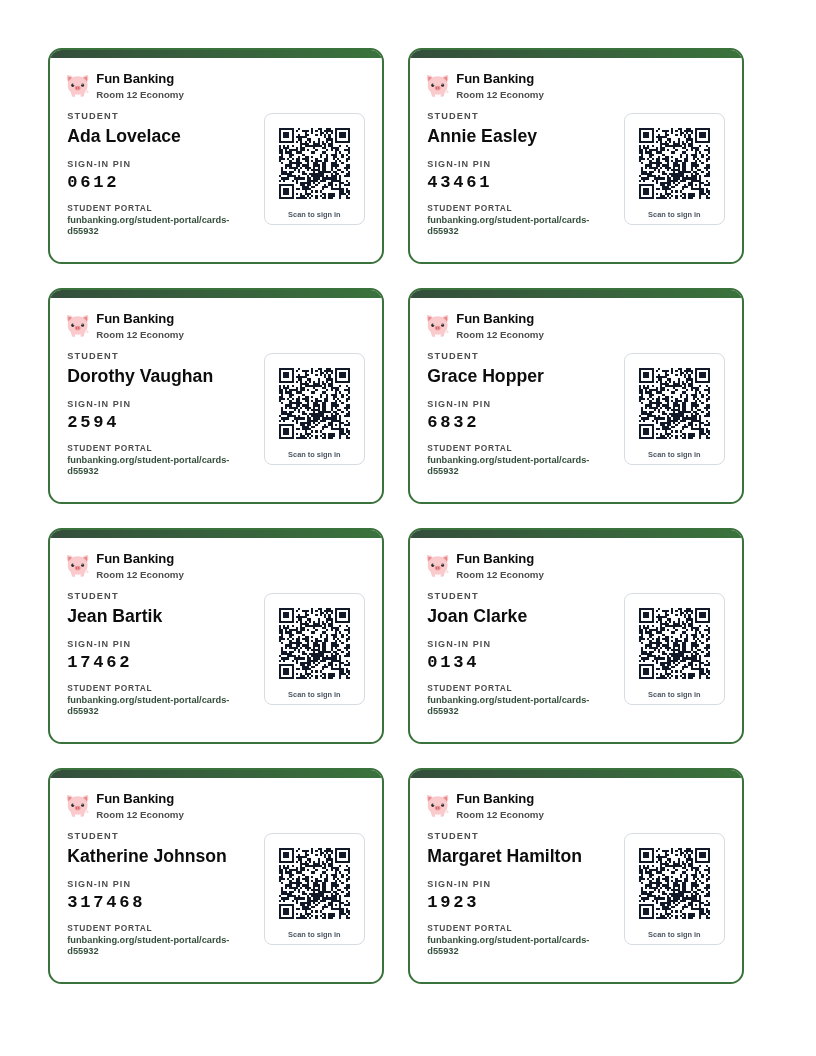
These cards are handy at the beginning of the year, when introducing a new class to Fun Banking, or any time students need a simple reminder of how to sign in. Keep a teacher copy somewhere secure, then hand out or store the individual cards according to your classroom routine.
The print view keeps everything consistently sized and automatically creates additional sheets for larger classes. Use Print / Save PDF to send the cards to a printer or save a digital master for later.
A clearer path through the classroom shop
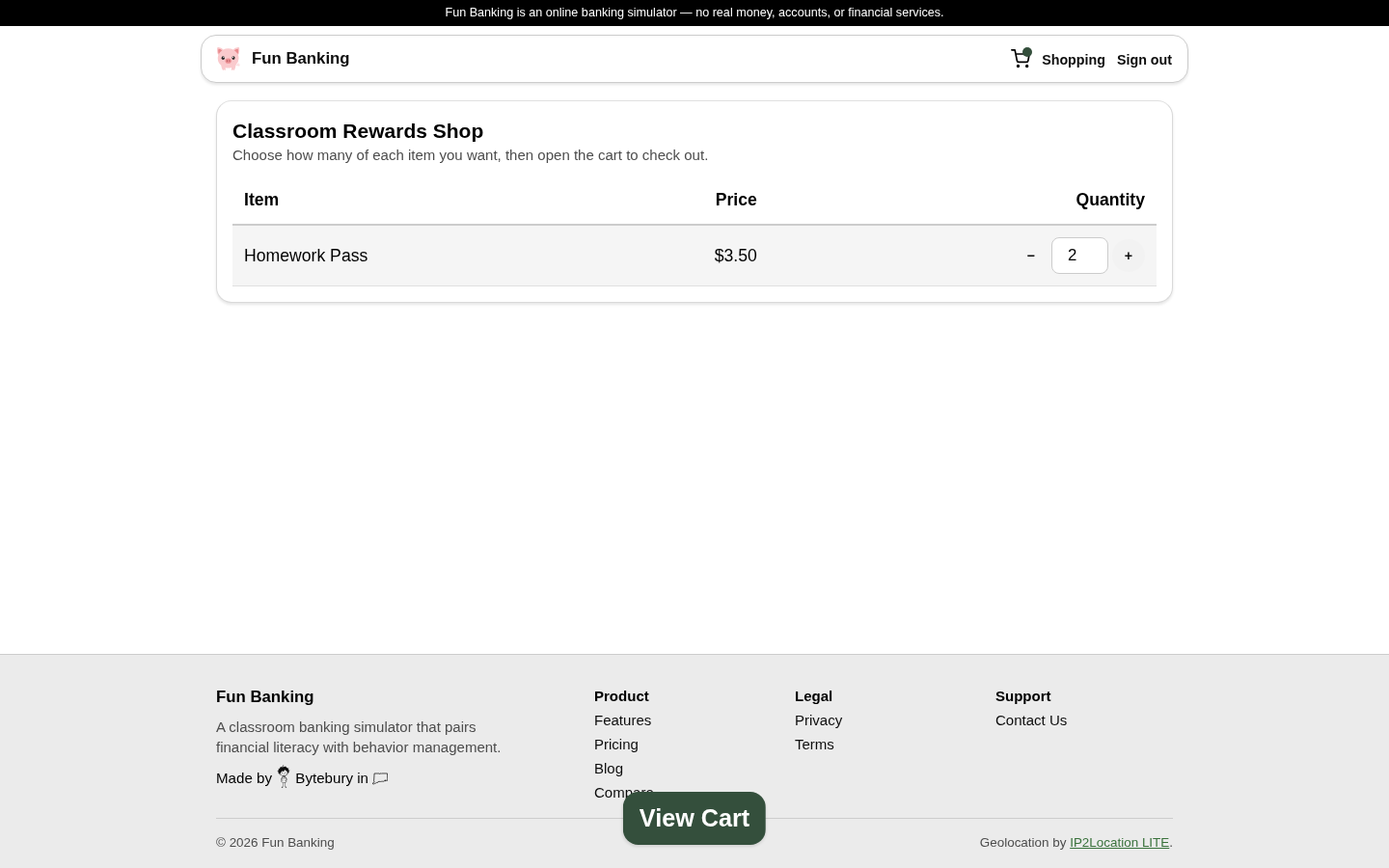
Shopping should feel obvious even for students using the classroom store for the first time. Students can use the quantity controls beside each item to build their cart, while the cart indicator in the navigation confirms that something has been added.
Now, adding an item also reveals a prominent View Cart button at the bottom of the screen. It uses the same easy-to-spot floating style as the teacher’s Manage Selected Students action, gently drawing attention to the next step without taking students away from the shop.
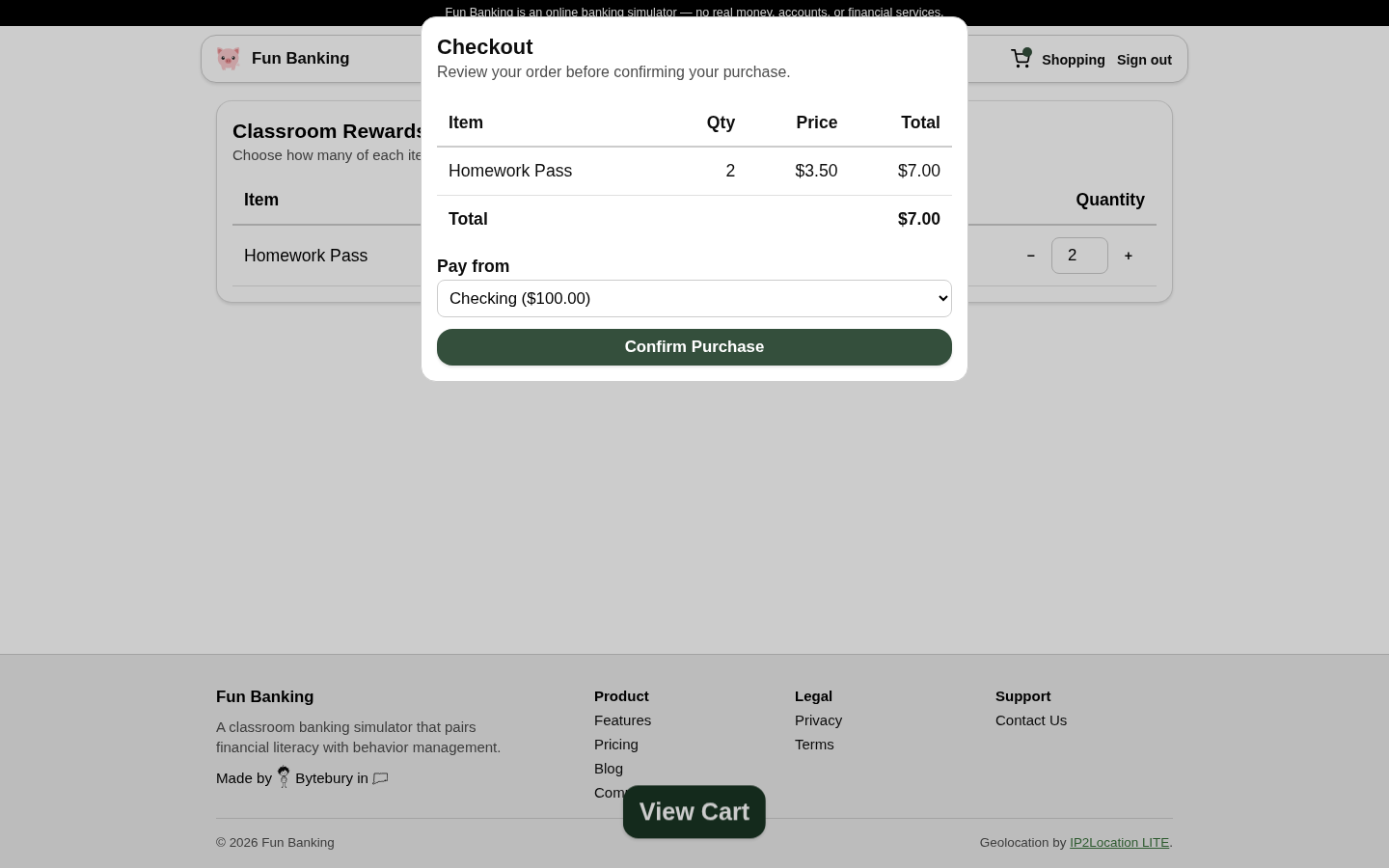
Selecting View Cart opens checkout with the item, quantity, price, and total clearly summarized. Students choose the account they want to pay from and confirm the purchase from one focused screen.
After a successful purchase, the cart clears automatically so students can immediately see that checkout is complete.
Classroom Search
You can now filter through your students to find a student more easily when you have more than 10 students to a classroom. This should help find students in larger classes much faster.
In addition, we have changed the order of the way students are displayed in a classroom to alphabetically by first name, then last.
Small steps, less classroom friction
These additions are all about reducing the instructions teachers have to repeat. A student can scan, sign in, shop, and check out with clearer cues at every step—and teachers have flexible ways to get each student started.
We hope the new QR codes, printable IDs, and shopping improvements make Fun Banking easier to introduce and smoother to use throughout the school year. If you try them with your class, we would love to hear what you think.